


One Quick Answer (OQA)

Secured User Authentication

To authenticate, authorize and audit user access

04 April 2024 | 1 min read
To authenticate, authorize and audit user access

Avoid inappropriate access to business systems and improve security by enforcing access control to be given only to authorized users and his/her specific device(s). The system administrator will be able to manage the access control accordingly.

STEP 1 - Register Device

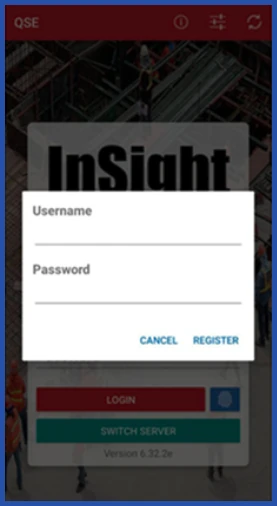
Device that is logging in for the first-time, the following pop-up will appear.
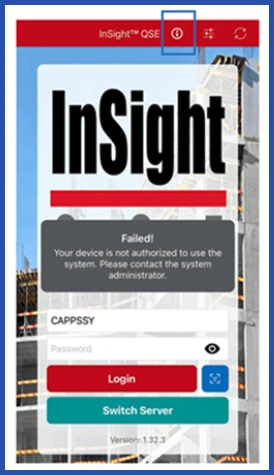
Secured user authentication and device registration in InSight QSE, screenshot 1

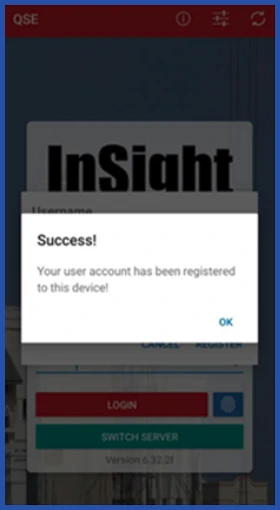
Register and log in with your account credentials to link the specific device with your account.
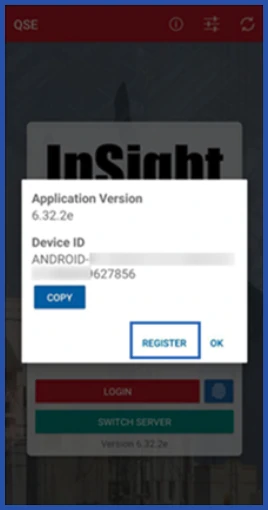
Secured user authentication and device registration in InSight QSE, screenshot 2
Secured user authentication and device registration in InSight QSE, screenshot 3
Secured user authentication and device registration in InSight QSE, screenshot 4

STEP 2 - Authenticate Device

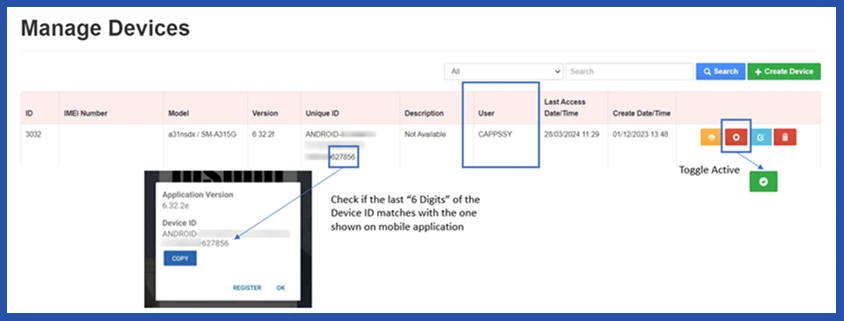
For System Administrators: You will be able to see the linkage of user account with the device.

Click on the toggle button to active the access to the device.
Secured user authentication and device registration in InSight QSE, screenshot 5