

 CBOSS
CBOSS
 InSightTM HIP

One Quick Answer (OQA)
How to Configure PTWs for Specific Projects
18 October 2023 | 1 min read

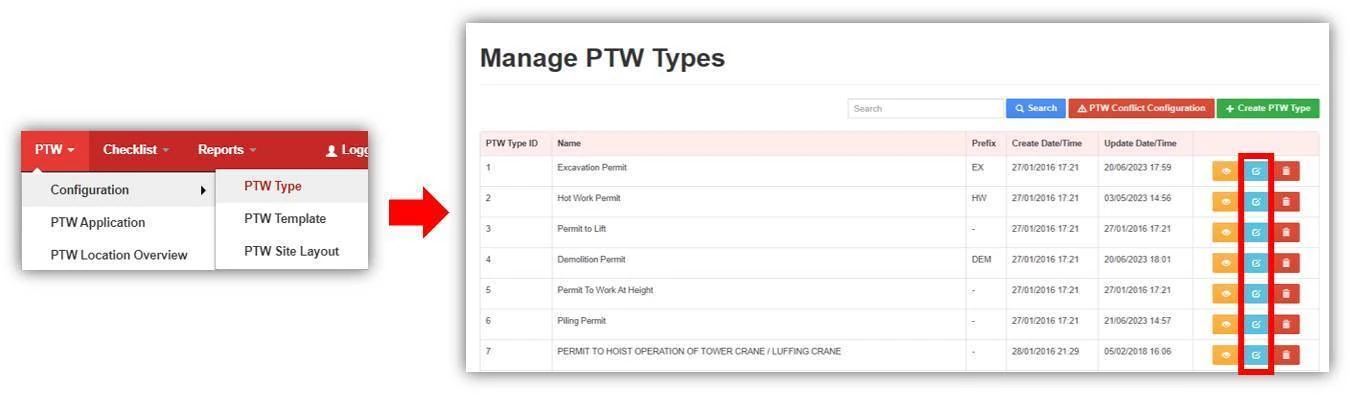
STEP 1 - Select the PTW Type to configure
Under the PTW configuration, click on PTW Type. Select a PTW Type to edit the configurations by clicking on the blue update button.
STEP 2 - Indicate the Projects Applicable for the PTW Type
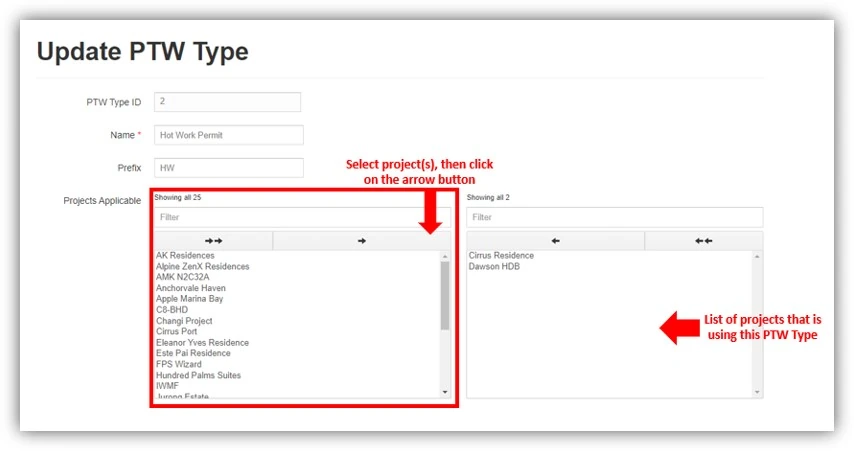
Indicate the project(s) that are using this PTW Type. For example, if the PTW Type is only applicable for the project “AK Residences”, find the project name in the left box. Then shift the project from the left box to the right box.
Note*
- For multiple project selection, hold the Ctrl key while clicking on the projects.
- Double arrow is to shift all projects, single arrow is to shift selected project(s).
- By default, the PTW Type is applicable for ALL projects if the Project Applicable section is not configured.
STEP 3 - Save changes
Click on "Save" to update the changes.

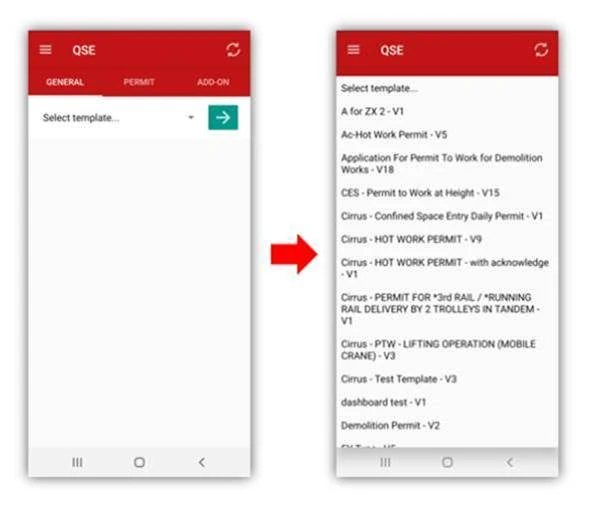
Once the changes are done, PTW Applicants will only be able to apply PTWs that are applicable to the Project.
Note*
For any configuration changes on the web, users have to click on the Refresh icon  on the mobile app to refresh the data.